PROJECT  [ 00 - 5 ]
2026

 * CHAOS  CYLINDO 

 * CHAOS  CYLINDO 
 *CHAOS  CYLINDO
 *CHAOS  CYLINDO
OVERVIEW
INFO
Project
2026

/ UX / UI
/ Design System

Designing a 3D Studio control interface, backed by an MCP-driven design system.

Designing a 3D Studio control interface, backed by an MCP-driven design system.

Cylindo, part of Chaos, gives furniture brands a dedicated CMS platform for showcasing their products. Its 3D Studio lets users place pieces in a virtual room and render them. I designed the controls for focal length, camera and lighting, while optimising the design system they were built on.

To make that process faster and more consistent, I built an AI workflow on Claude and Figma MCP, from discovery to production token audits, and handoff with developers.
Success & Impact
  • improved workflow efficiency by 80% for retail companies displaying their products
  • Reached 92% satisfaction rate among surveyed stakeholders
  • Studio used by established retail companies like Sofa Company and Swiss Sense
OVERVIEW
UX / UI /
Design System
2026
INFO

Designing a 3D Studio control interface, backed by an MCP-driven design system.

Designing a 3D Studio control interface, backed by an MCP-driven design system.

Cylindo, part of Chaos, gives furniture brands a dedicated CMS platform for showcasing their products. Its 3D Studio lets users place pieces in a virtual room and render them. I designed the controls for focal length, camera and lighting, while optimising the design system they were built on.

To make that process faster and more consistent, I built an AI workflow on Claude and Figma MCP, from discovery to production token audits, and handoff with developers.
Success & Impact
  • improved workflow efficiency by 80% for retail companies displaying their products
  • Reached 92% satisfaction rate among surveyed stakeholders
  • Studio used by established retail companies like Sofa Company and Swiss Sense
THE CHALLENGE
Handling 3D scene by hand can be daunting. Camera and light are what users must set themselves to get a render they are happy with, and anything confusing or slow makes that harder. These tools had to be understandable, quick and efficient, so users always feel in control.
1. Adjusting the focal length
Choosing a focal length had to be quick.
2. Operating the camera
Moving the view had to feel intuitive.
3. Managing the lighting
Lighting controls had to be understandable.
SOLUTION
1. Setting the view (focal length)
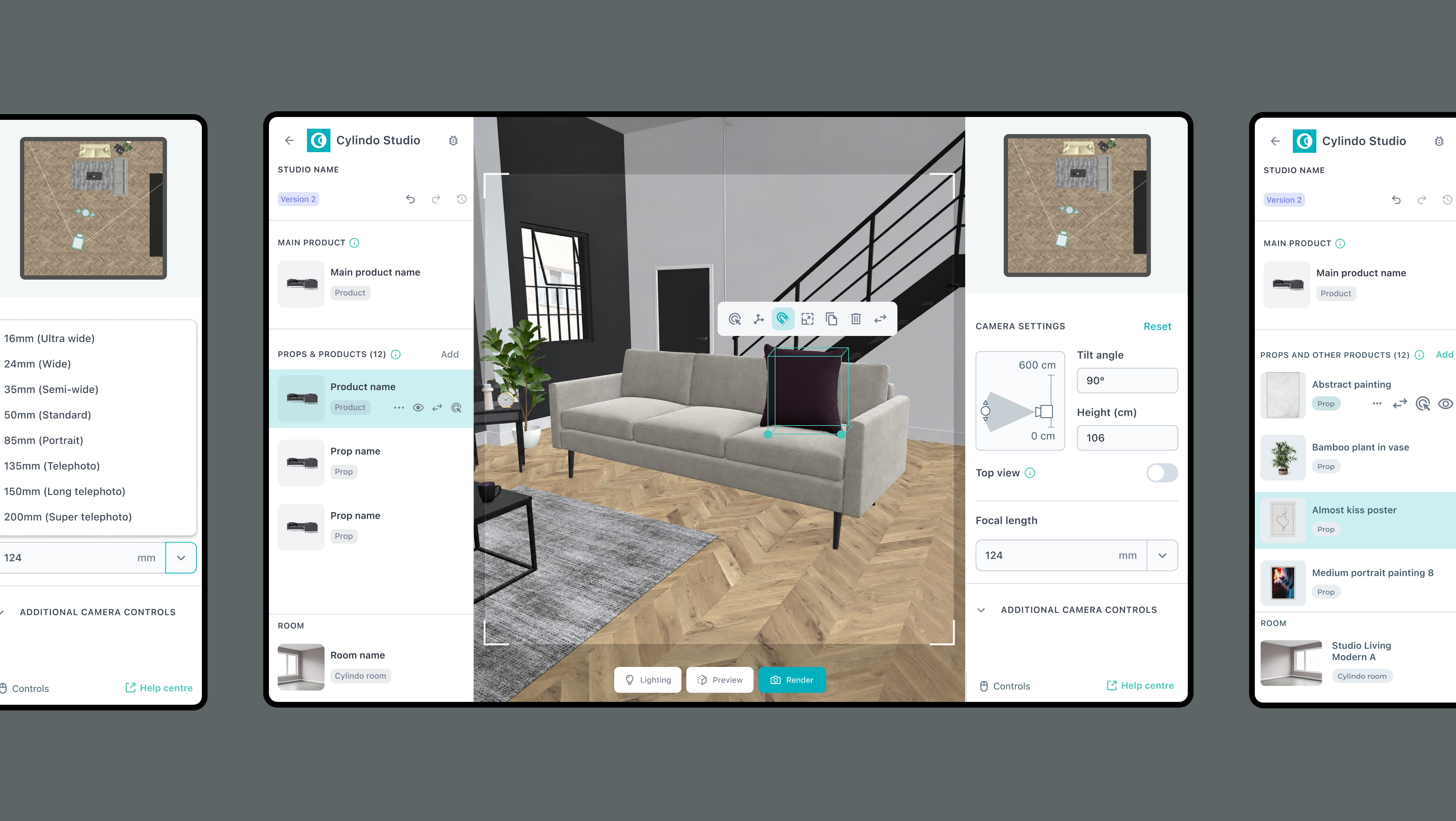
Focal length sets how wide the room looks, so it was designed first. I explored different slider and input options, but a lot of versions had two fundamental problems.
PROBLEM 1
Changing the view live as you drag the slider would slow the system down by about 40% and lead to unecessary lag.
PROBLEM 2
Input fields had no reference points, so jumping between or returning to the same focal length was time consuming.
[ LEFT ]
TOTE BAG
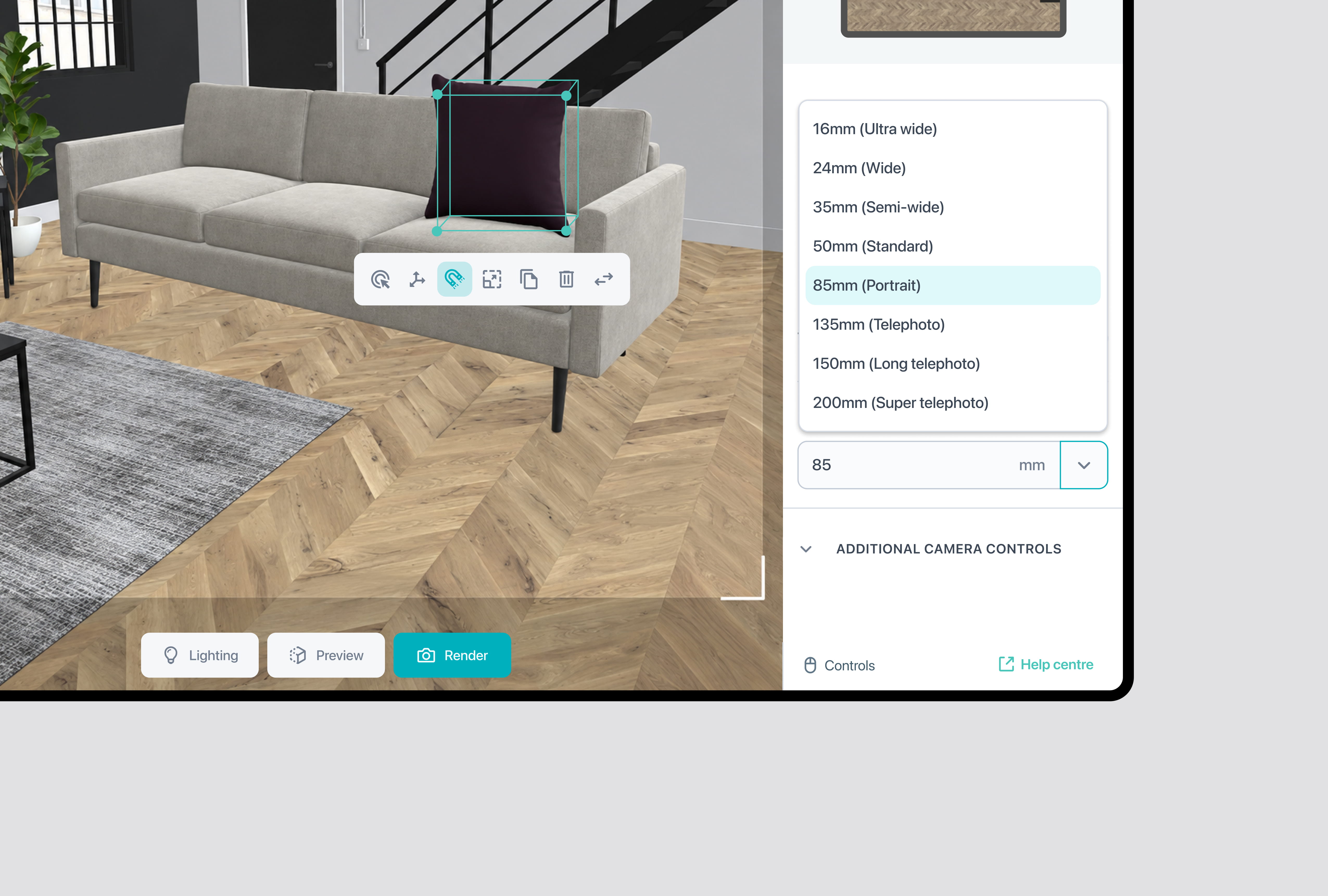
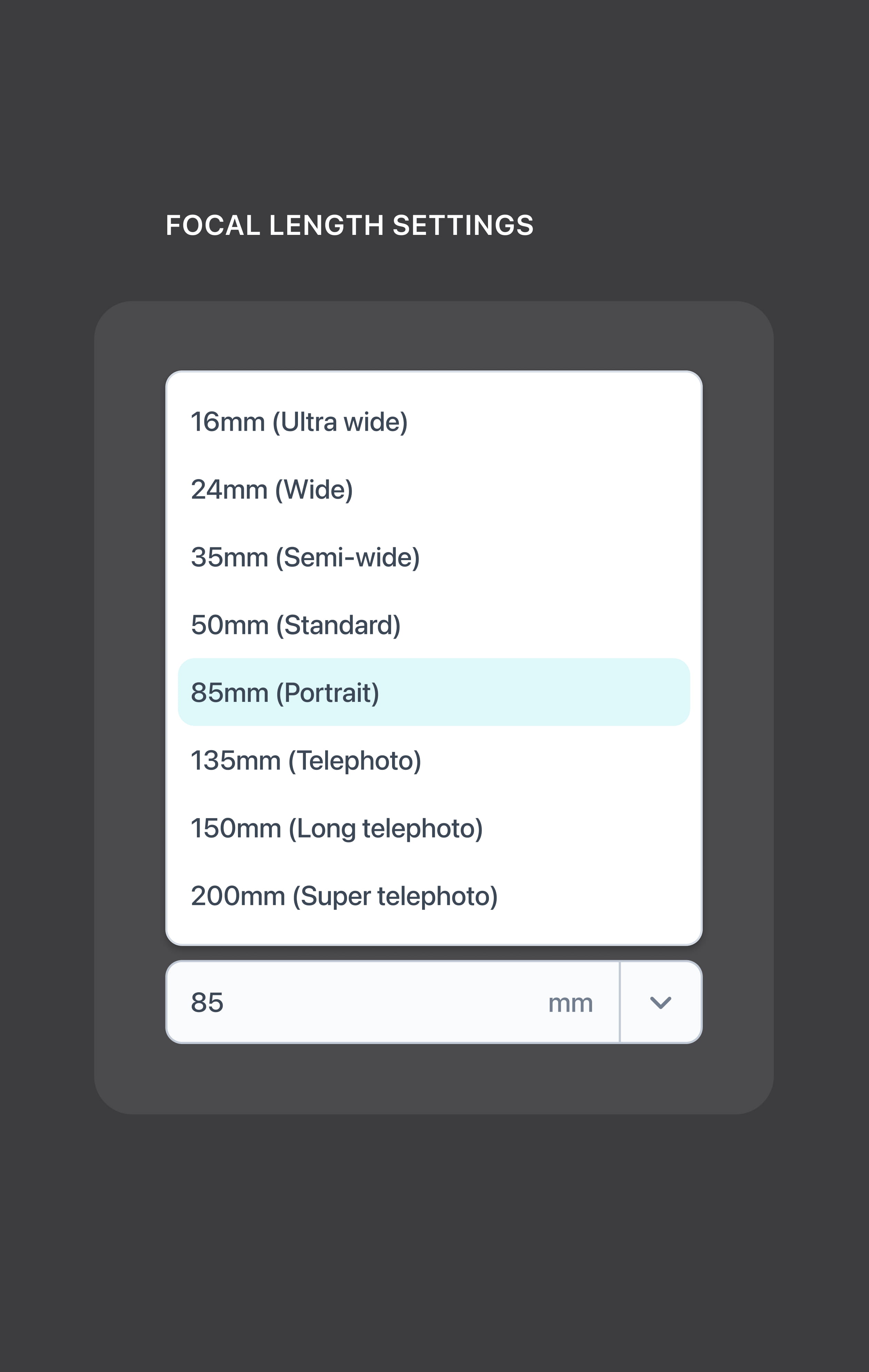
Instead I used one field that does both. Users can type their own value or pick from eight industry standard focal lengths, from 16 to 200 mm. The names tell users what to expect from the view, and the presets let them return to the same lens without searching for it again.
2. Setting the camera
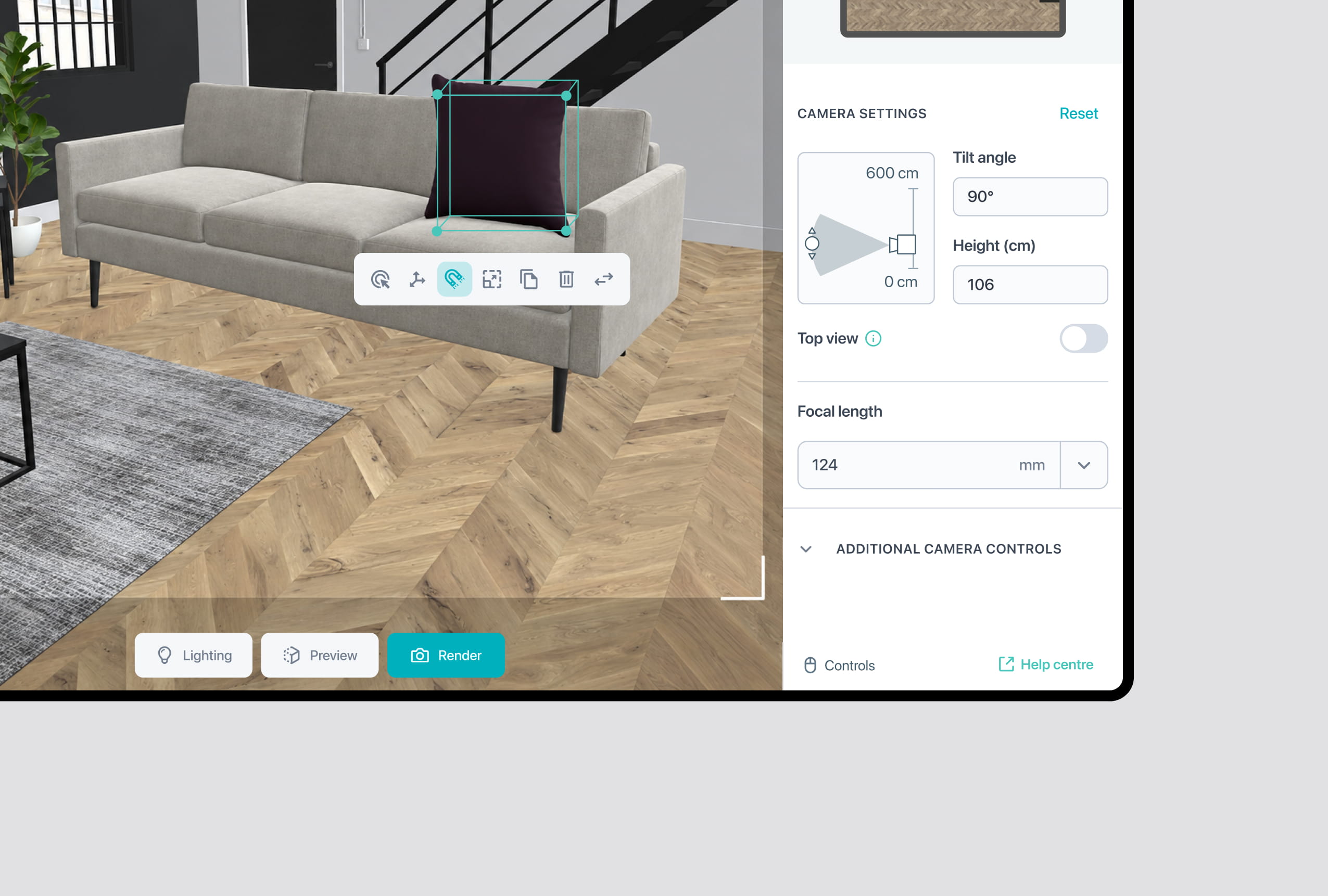
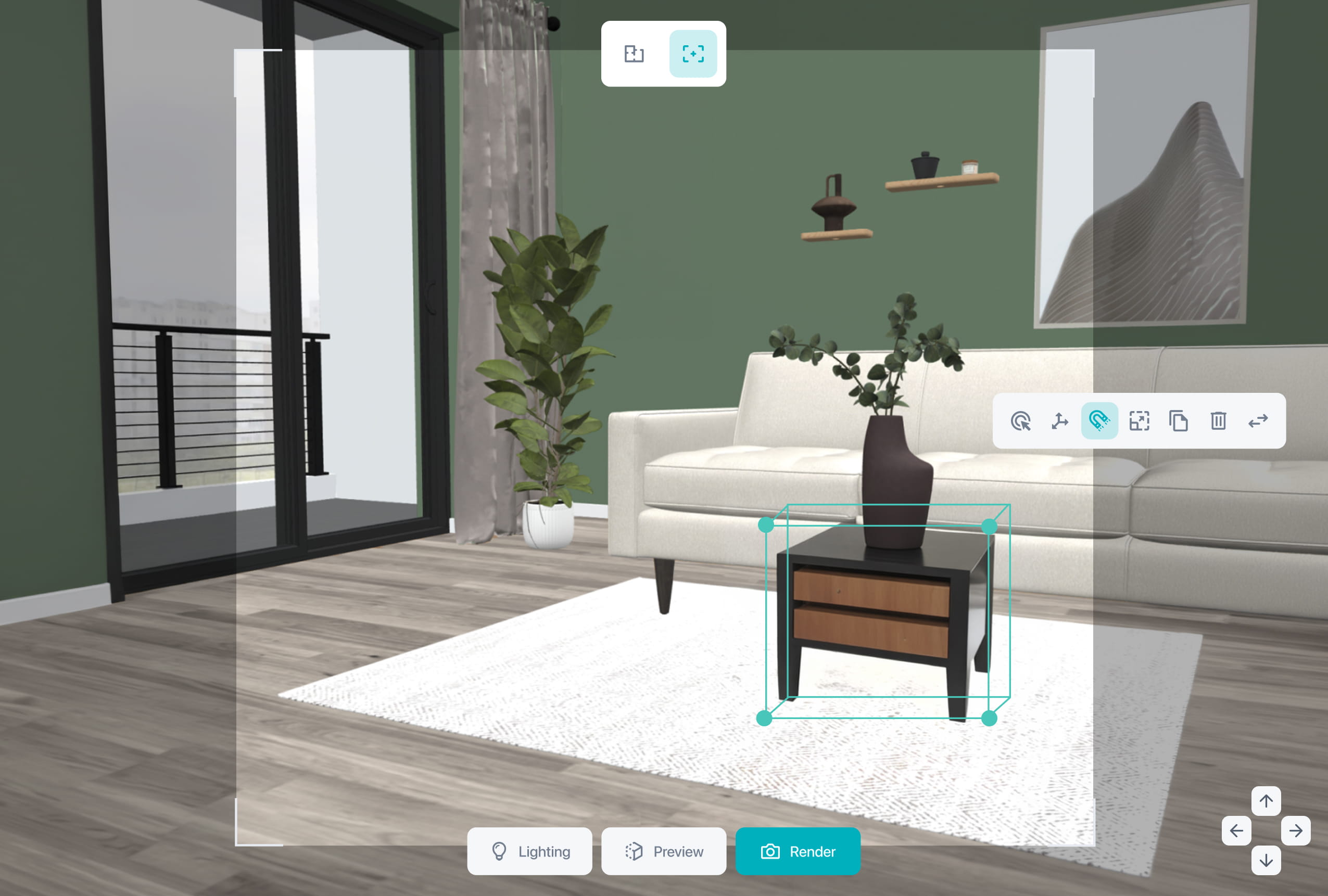
The old control only had input fields. I kept them in the new interface and added manual controls next to them. Users can now move the camera up and down and change its angle by hand, in real time, which makes camera control more intuitive and saves them from typing in values every time.
Input fields give exact height and tilt.
Manual controls let you move the camera by feel.
The tech team confirmed that moving the camera is far less demanding than changing the focal length, so live movement here is possible.
[LEFT]  STICKERS
[DOWN]  STATIONERY MATERIALS
[DOWN RIGHT]  CASSETTE DESIGN
[LEFT]  STICKERS
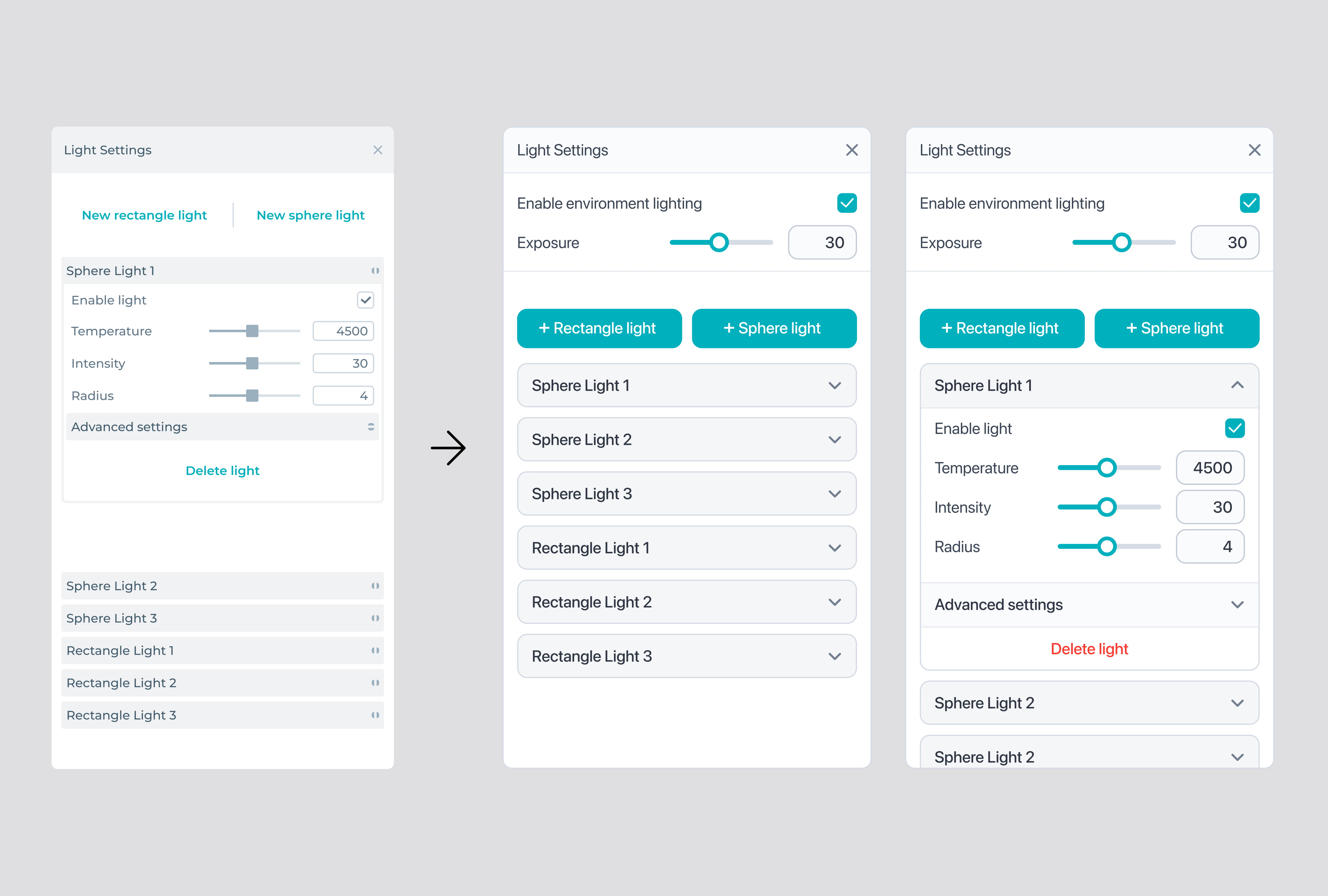
3. Setting the light
The previous light panel only controlled individual lights. I added environment lighting and overall exposure at the top, so the scene is set first and each light is adjusted afterwards. Panel was also updated to the current visual language.
Adding lights is now the main action.
Accessibility improvements.